ミキサーにipadを接続し直す | Reconnecting the Ipad to the Mixer
Problem: The mixer is on, but the Mixing Station app is stuck on the “Connecting“ screen, so the iPad can’t control the mixer.
Try this [pictures below]:
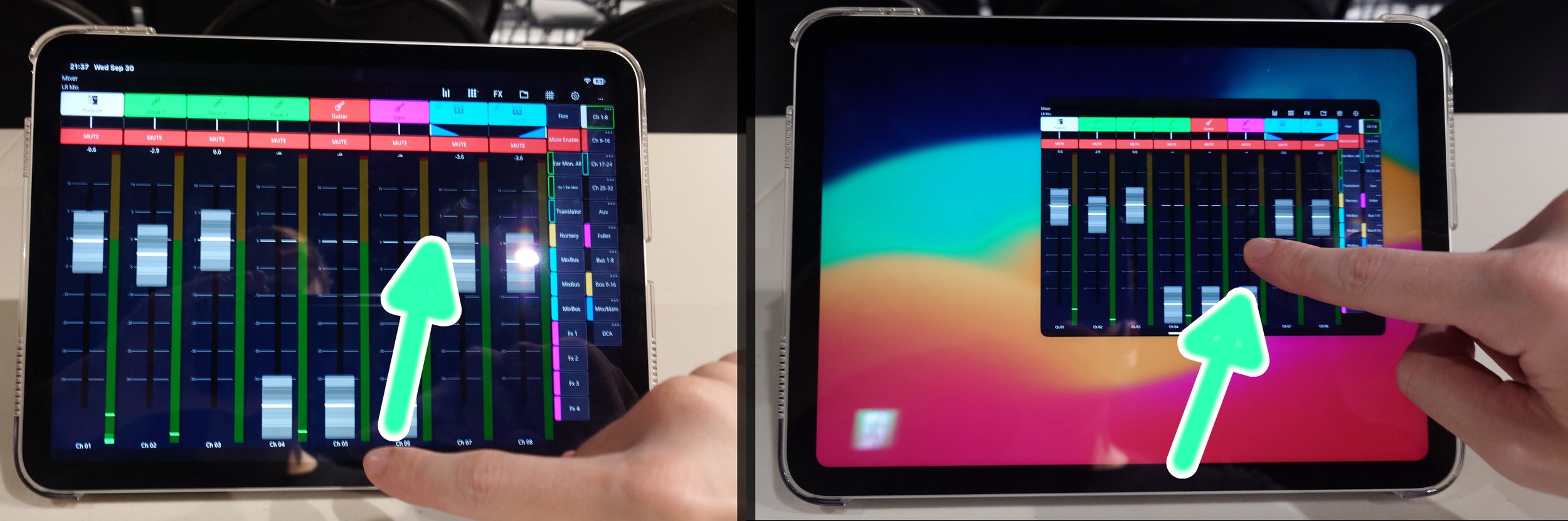
Swipe the app closed (go to the iPad home screen)
Reopen the Mixing Station app
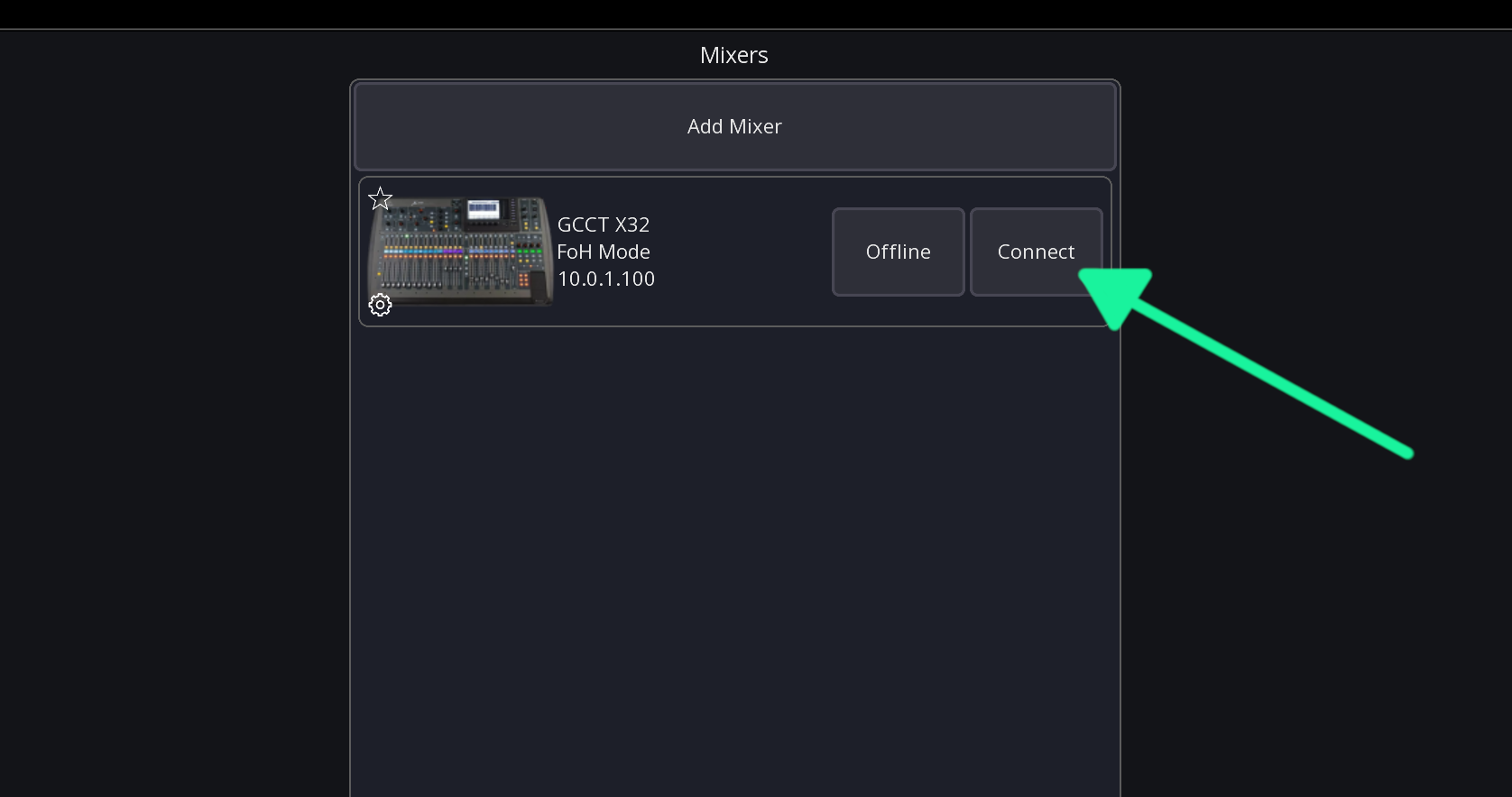
Hit “Connect” if needed
Still Stuck?
Swipe the app closed (go to the iPad home screen)
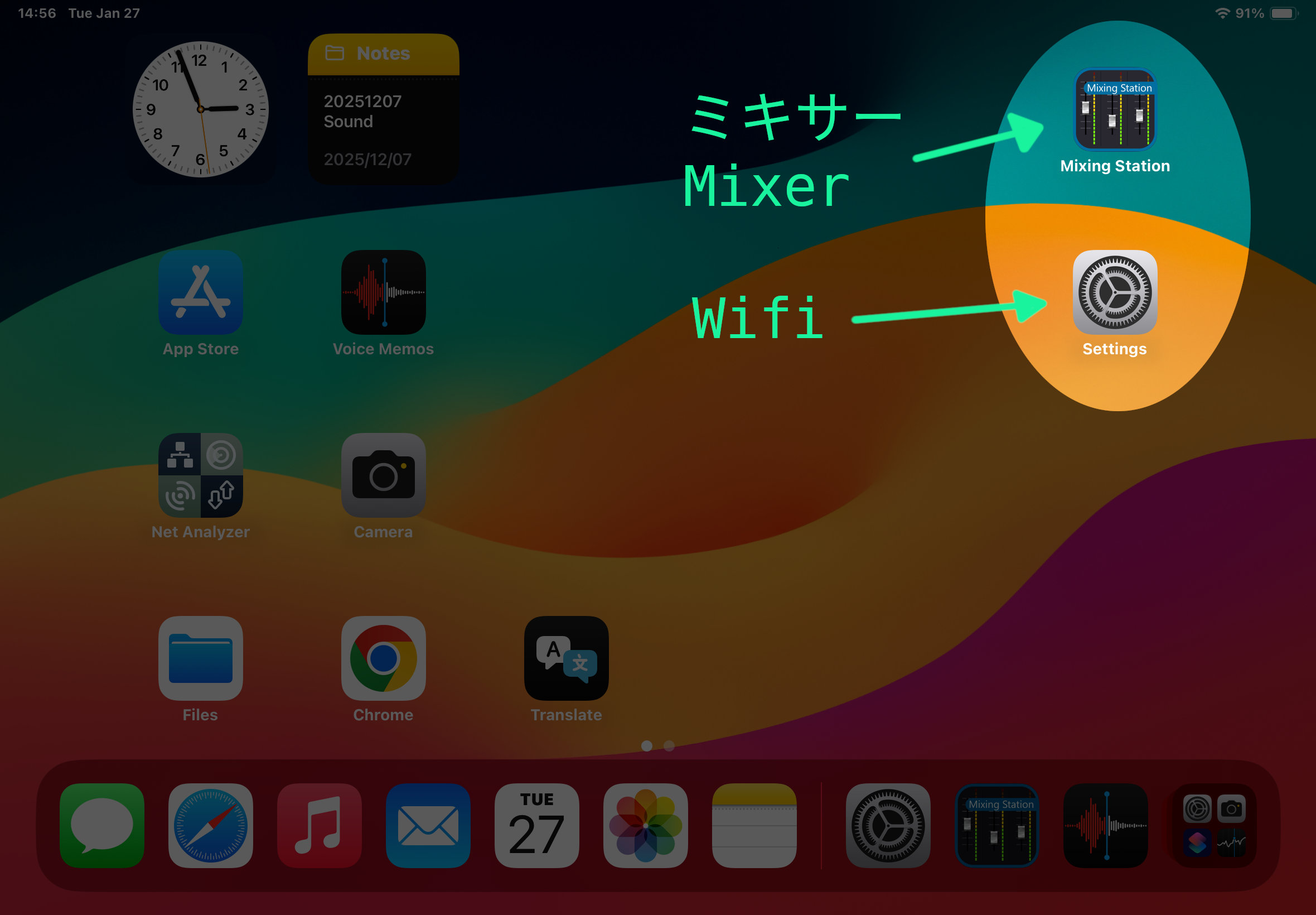
Open the Settings app
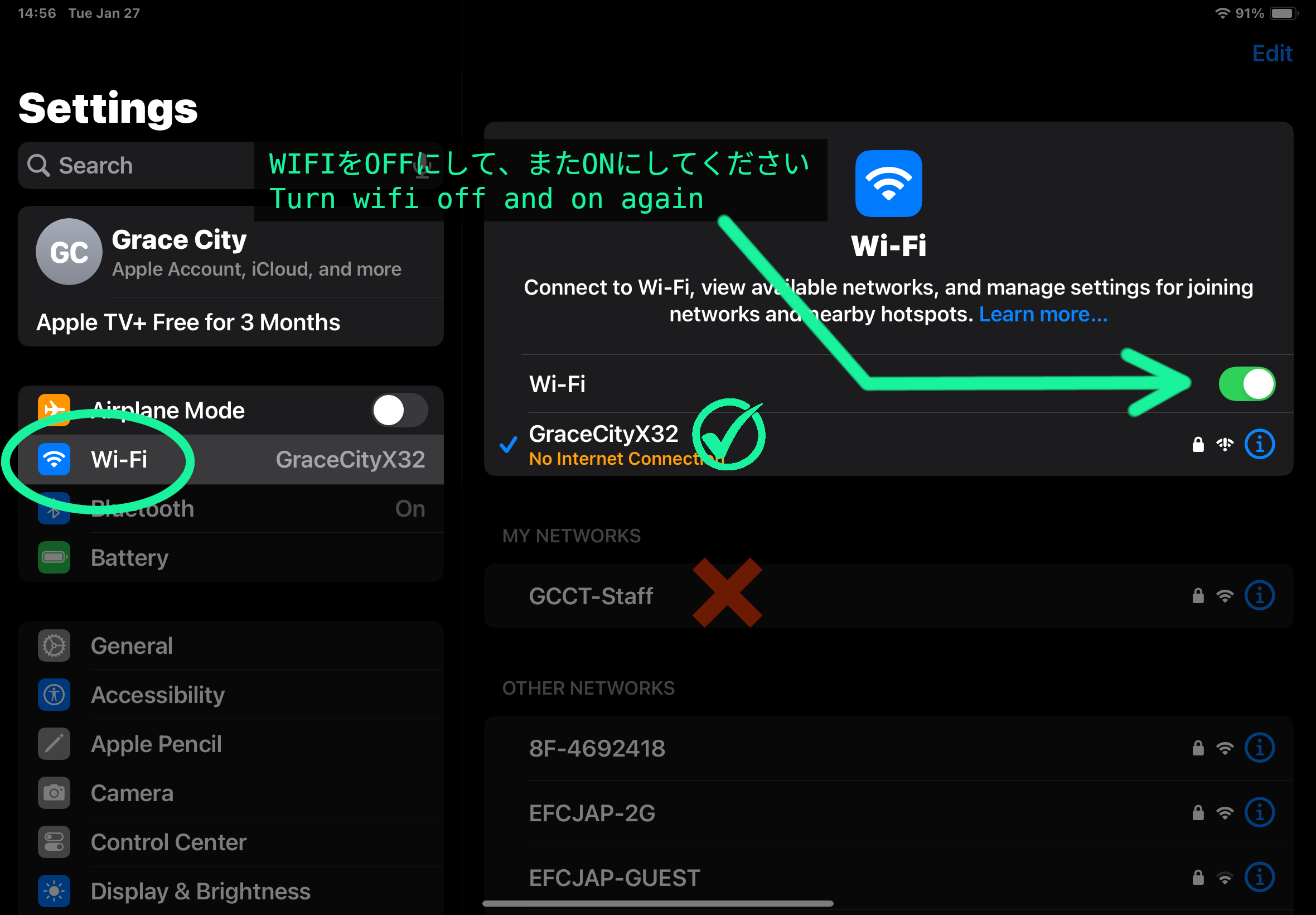
Go to the wifi section
Confirm the network is GraceCityX32. If not, switch to that one.
Turn wifi off and back on
Go back to the Mixing Station app and hit connect
Still Stuck?
Turn the mixer off and on (remember, speakers off first)
Turn the iPad off and on
問題:ミキサーの電源は入っているのに、Mixing Stationアプリが「Connecting」の画面から進まず、iPadでミキサーを操作できない。
まずは次の手順を試してください【下の画像を参照】:
アプリを上にスワイプして終了し、iPadのホーム画面に戻る
Mixing Stationアプリをもう一度開く
必要に応じて「Connect」をタップする
まだ接続できない場合:
アプリを上にスワイプして終了し、iPadのホーム画面に戻る
「設定」アプリを開く(“Settings”)
「Wi-Fi」を開く
接続先が「GraceCityX32」になっていることを確認する。違う場合は「GraceCityX32」に切り替える
Wi-Fiを一度オフにしてから、もう一度オンにする
Mixing Stationアプリに戻り、「Connect」をタップする
それでも接続できない場合:
ミキサーの電源を一度切ってから、もう一度入れる(必ず先にスピーカーの電源を切ること)
iPadの電源を一度切ってから、もう一度入れる