ウォーターサーバー | Water Server
How to Use and Refill the Water Server
ウォーターサーバーの使い方と補充のしかた
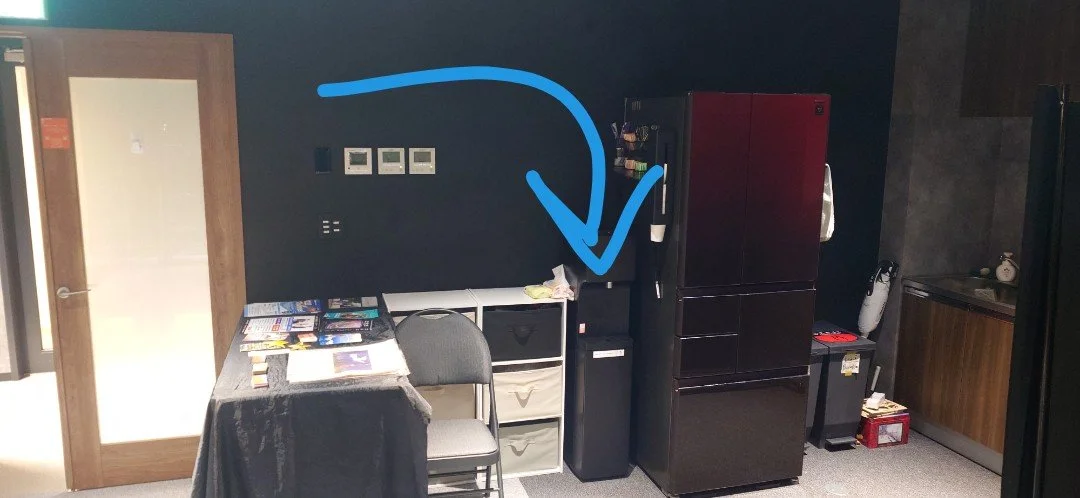
We have a water server next to the refridgerator that serves hot and cold water. The hot water is hot enough for tea/coffee.
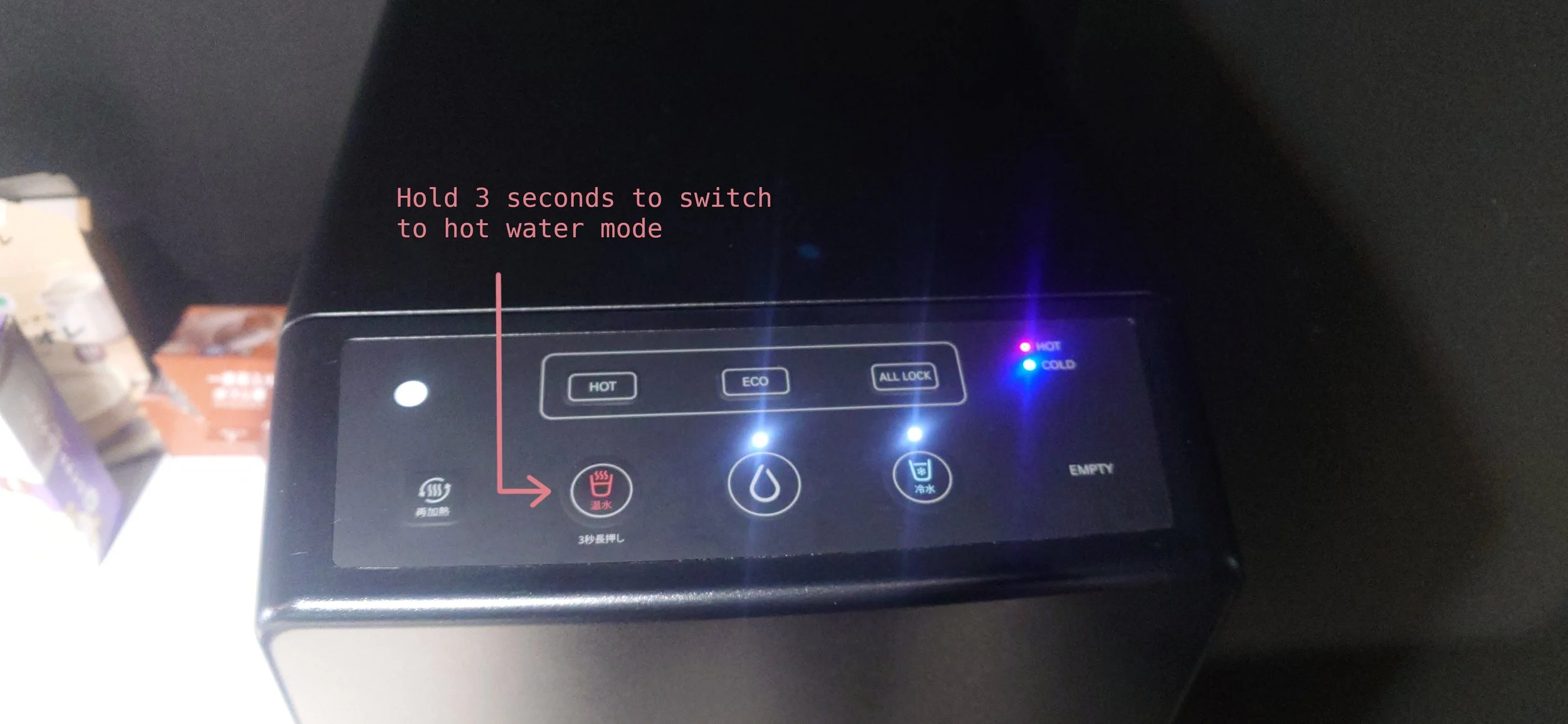
Hold the red button for 3 seconds to switch to hot water mode. It will automatically switch back after dispensing.
教会の冷蔵庫の横にウォーターサーバーがあります。冷水とお湯が出て、お湯はお茶やコーヒーに使えるくらい十分熱いです。
赤いボタンを3秒間押し続けるとお湯に変わり、水を出し終えると自動的に元に戻ります。
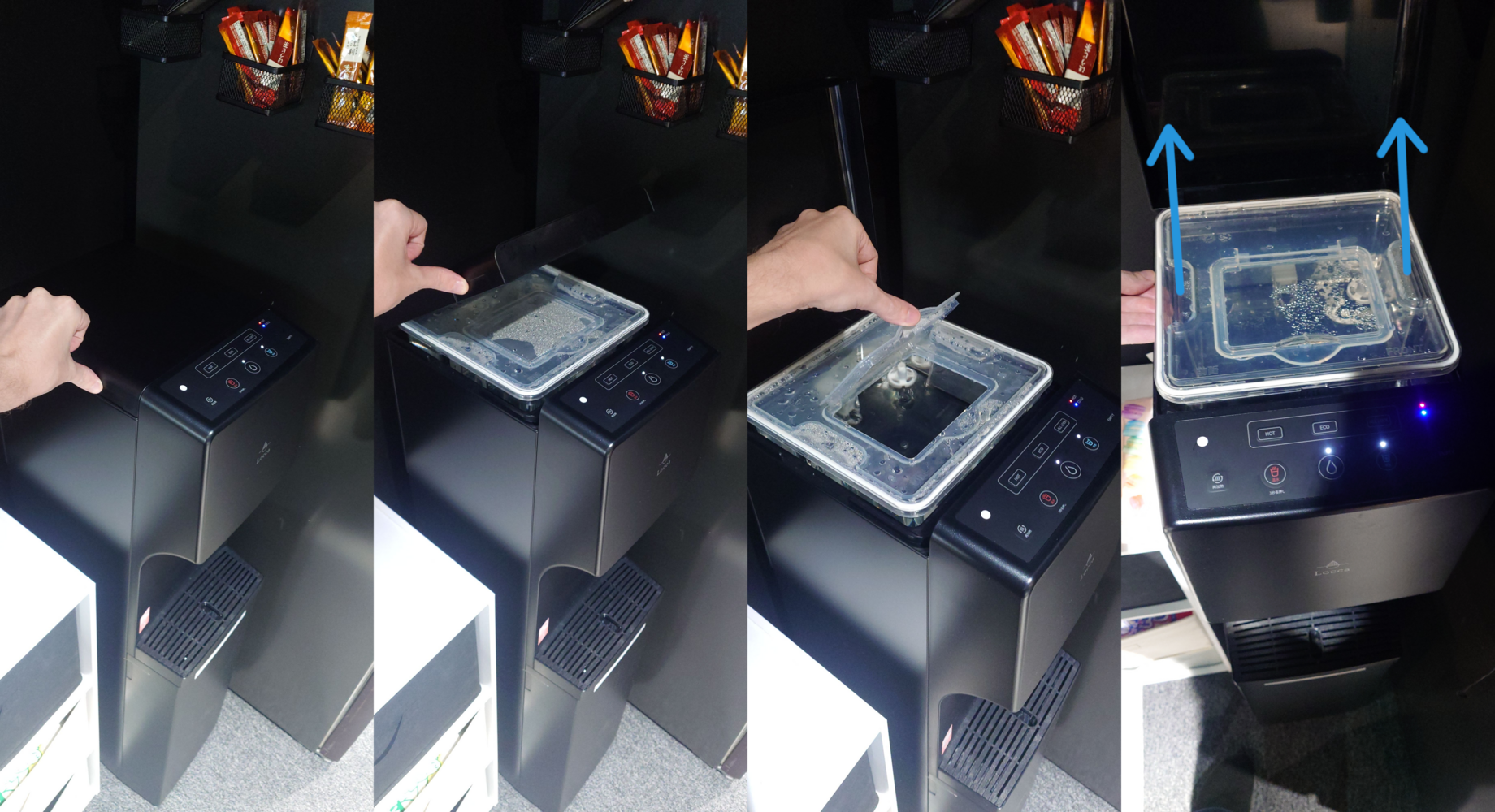
Please refill the water server before leaving the church, even if the “EMPTY“ light is off.
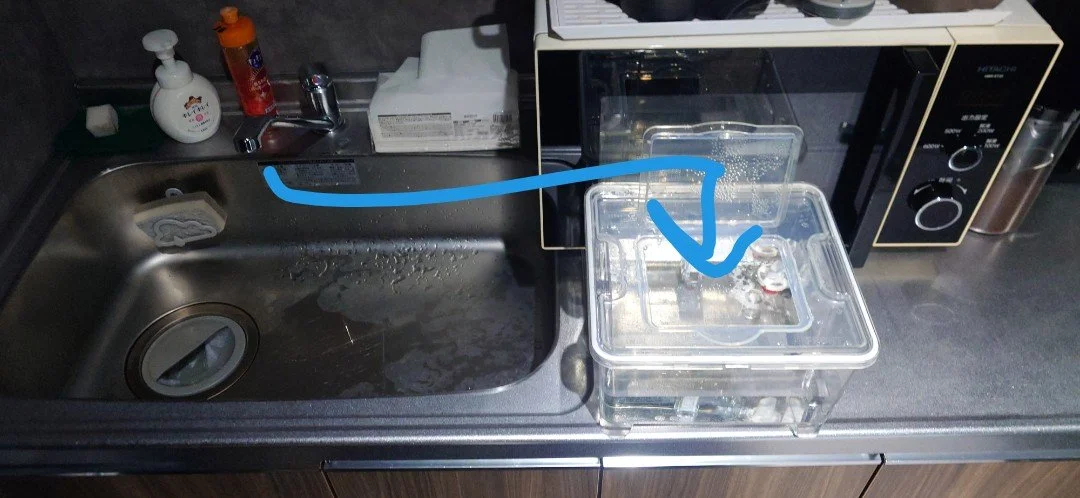
It’s easy to refill, just remove the tank, fill it in the sink, and put it back:
教会を出る前に、「EMPTY」ランプがついていなくてもウォーターサーバーの水を補充してください。
やり方は簡単です。タンクを外してシンクで水を入れ、元の位置に戻すだけです:
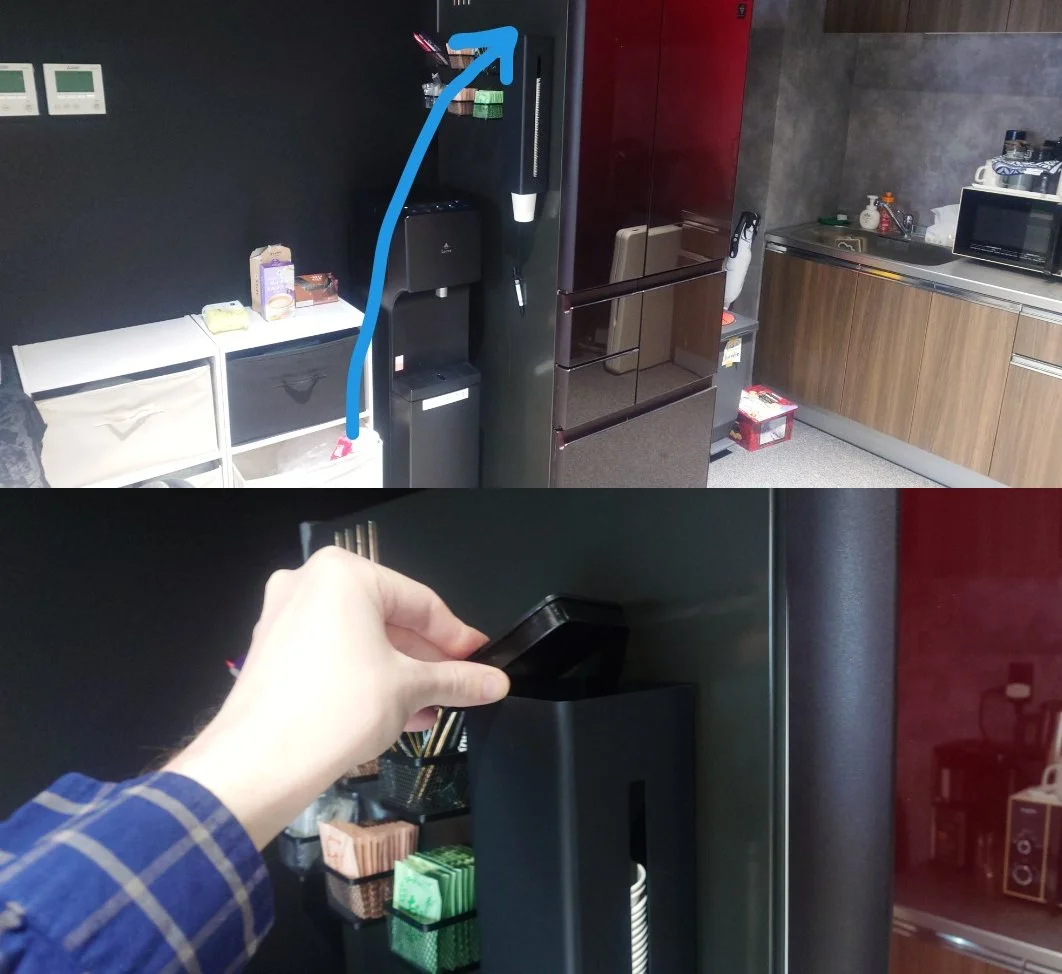
Please also refill the paper cups if they are running low:
紙コップが少なくなってきたら、あわせて補充もお願いします: