音響システムを起動するには | Turn Sound System On
*写真は下記参照 | Pictures Below*
Turn the sound system on:
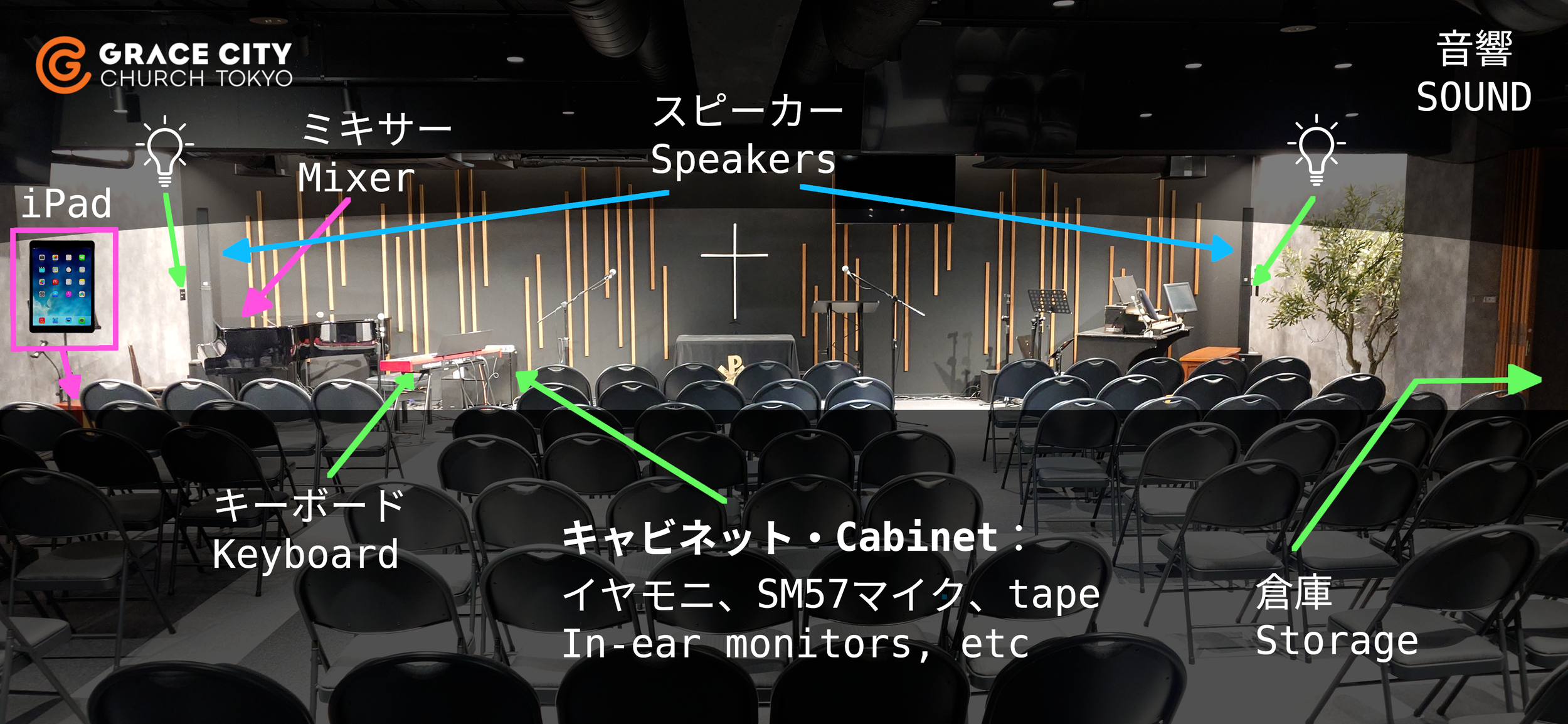
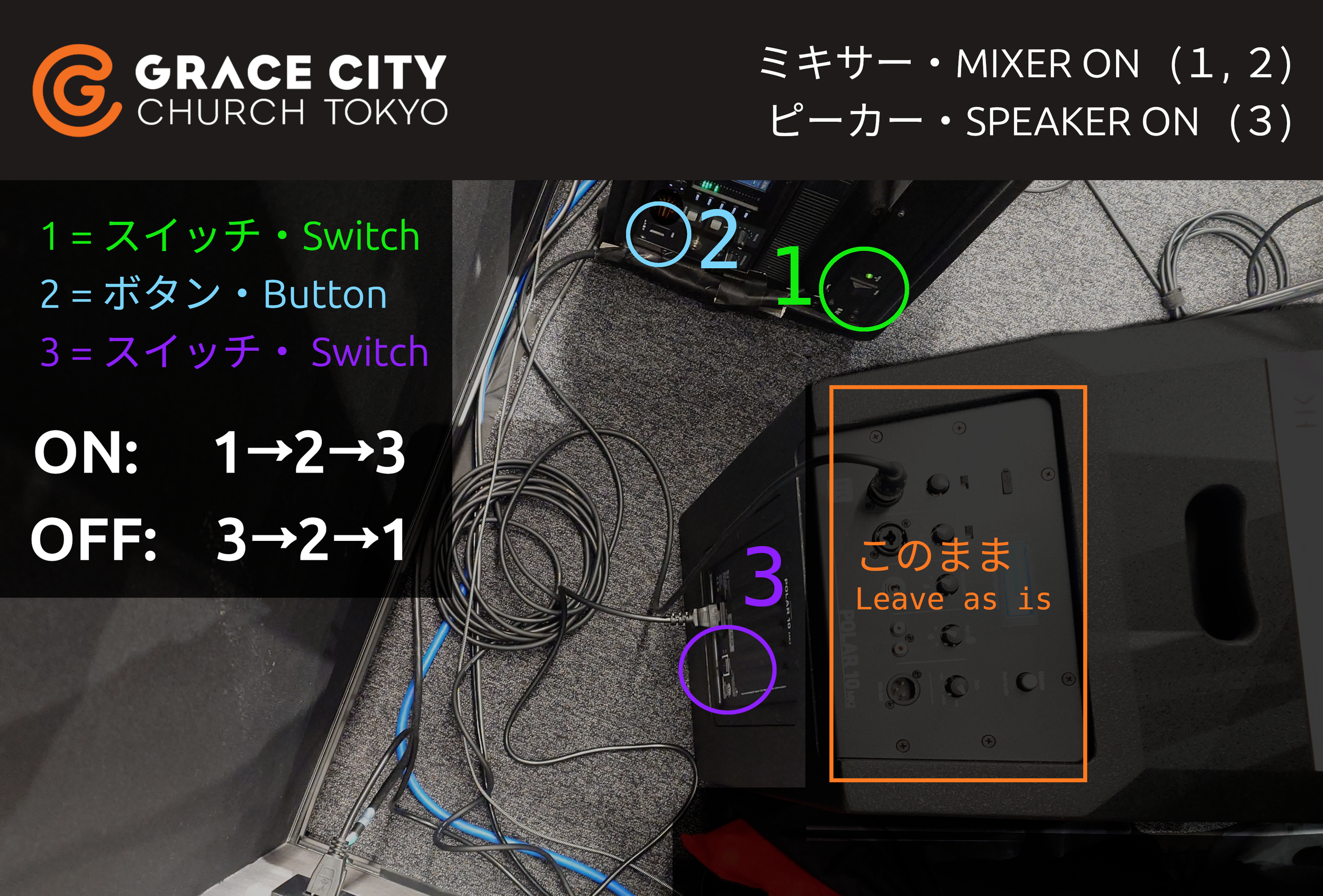
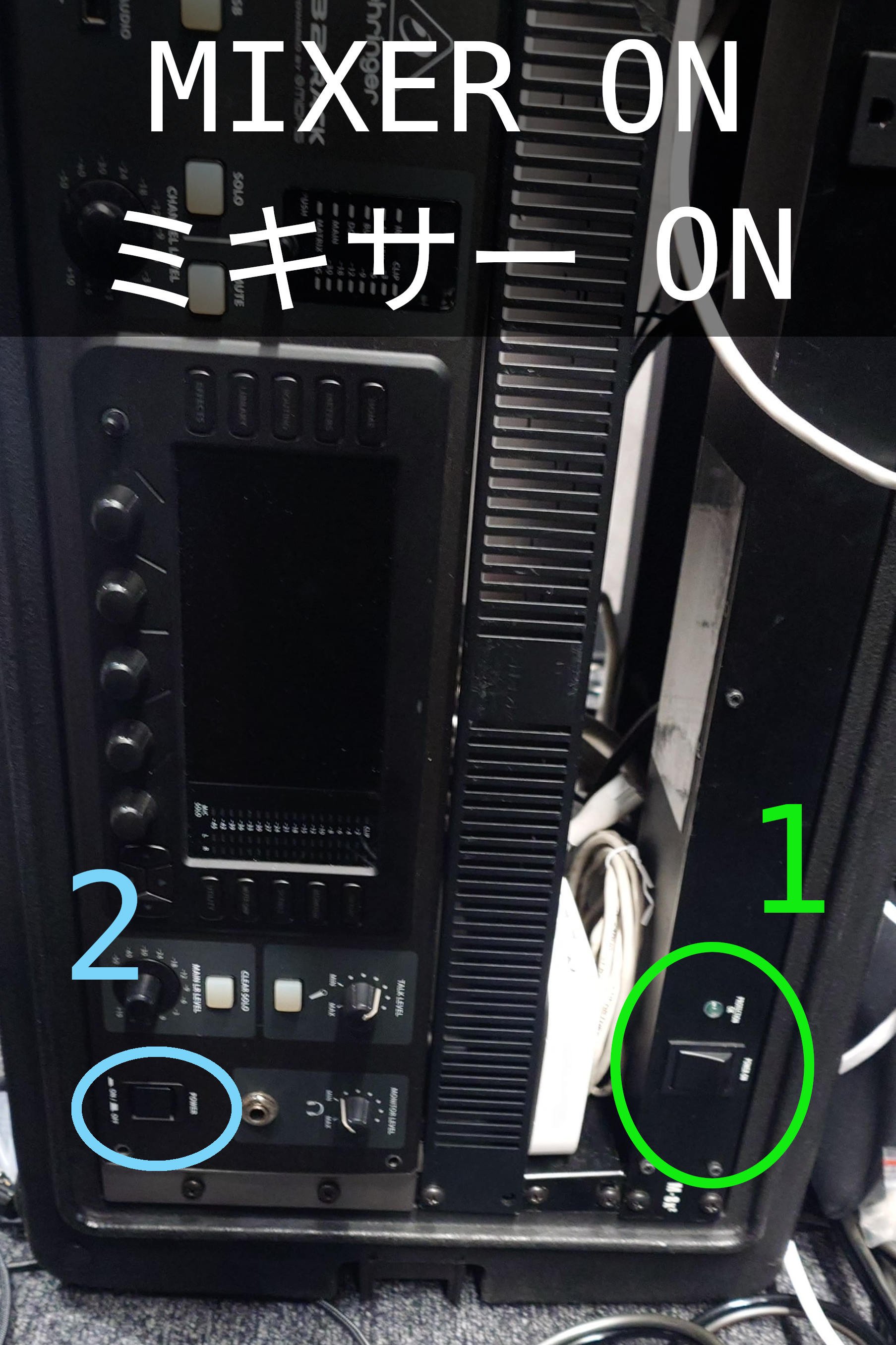
Turn on the mixer (switch, then button)
Turn on the tall speakers (switch)
To turn it off, just do the same thing backwards:
Turn off ALL speakers (switch)
Turn off the mixer (button, then switch)
Next: Using the iPad (to use mics, instruments, etc)
このガイドでは、マイクが使える状態まで音響を立ち上げる方法を説明します。うまくいかない場合→ ガイドの続きをご覧ください。
ミキサーをつける(スイッチ→ボタン)
背の高いスピーカーをつける(スイッチ)
終わったら、最初と逆の順番で電源を切ってください。
全てのスピーカーを消す (スイッチ)
ミキサーを消す(ボタン→スイッチ)