音が出ない場合 | On but No Sound?
(How to Unmute Channels)
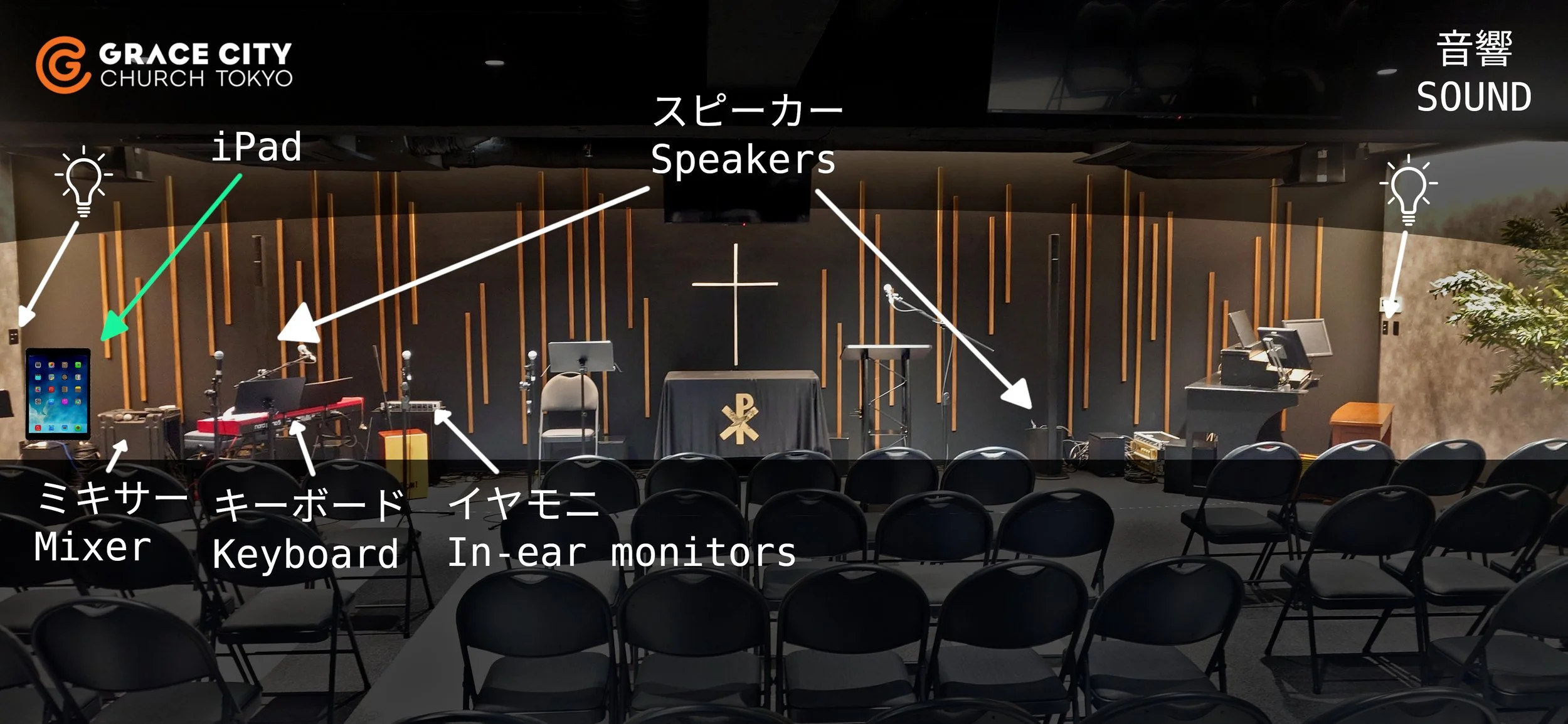
Problem: You’ve turned on the mixer and speakers, but there is no sound coming from the mics or instruments.
Try this [pictures below]:
Get the iPad
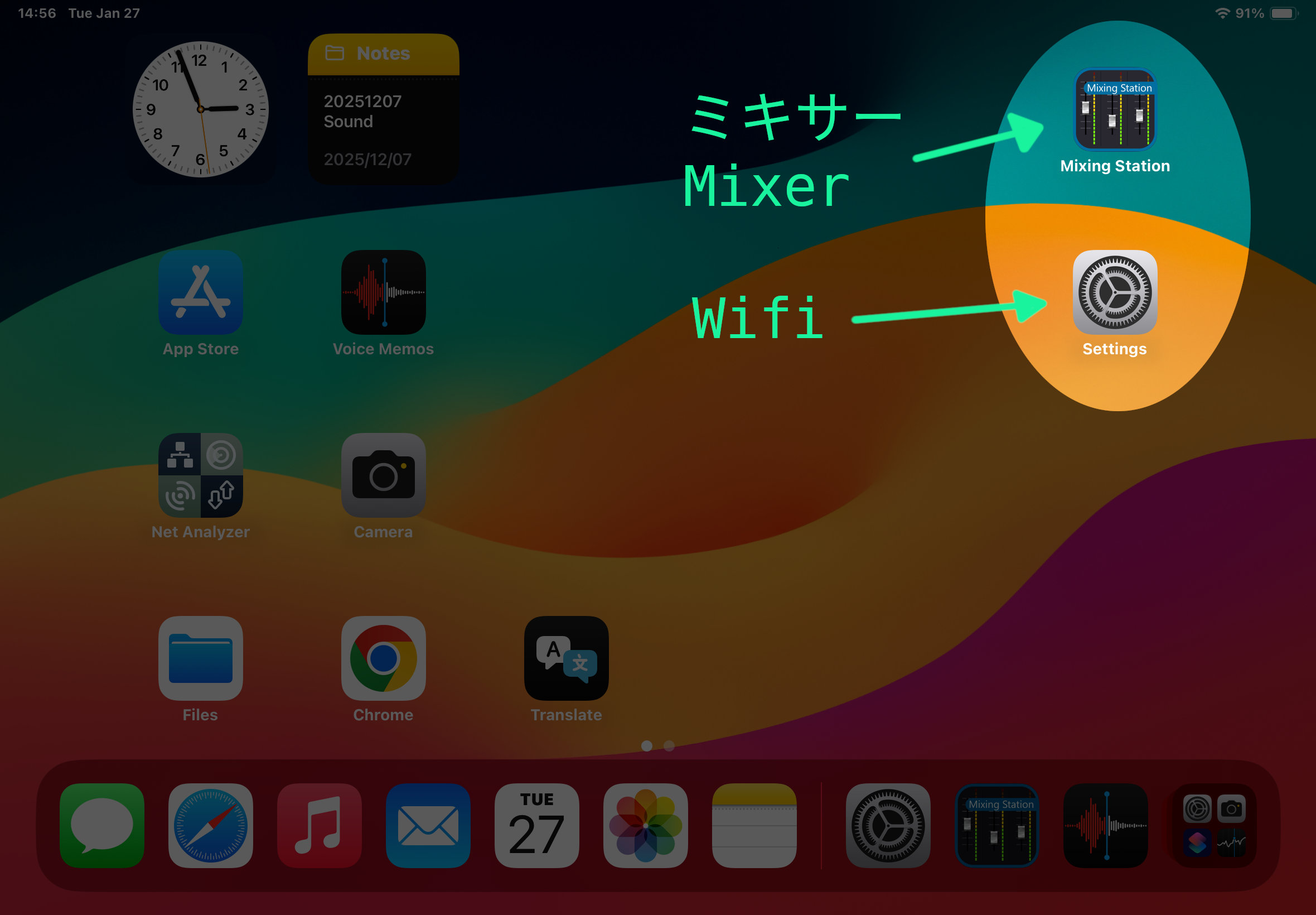
The Mixing Station app should already be open. If not, open it from the home screen.
Wait for it to reconnect & sync. (If it won’t reconnect, turn the iPad’s wifi off and on)
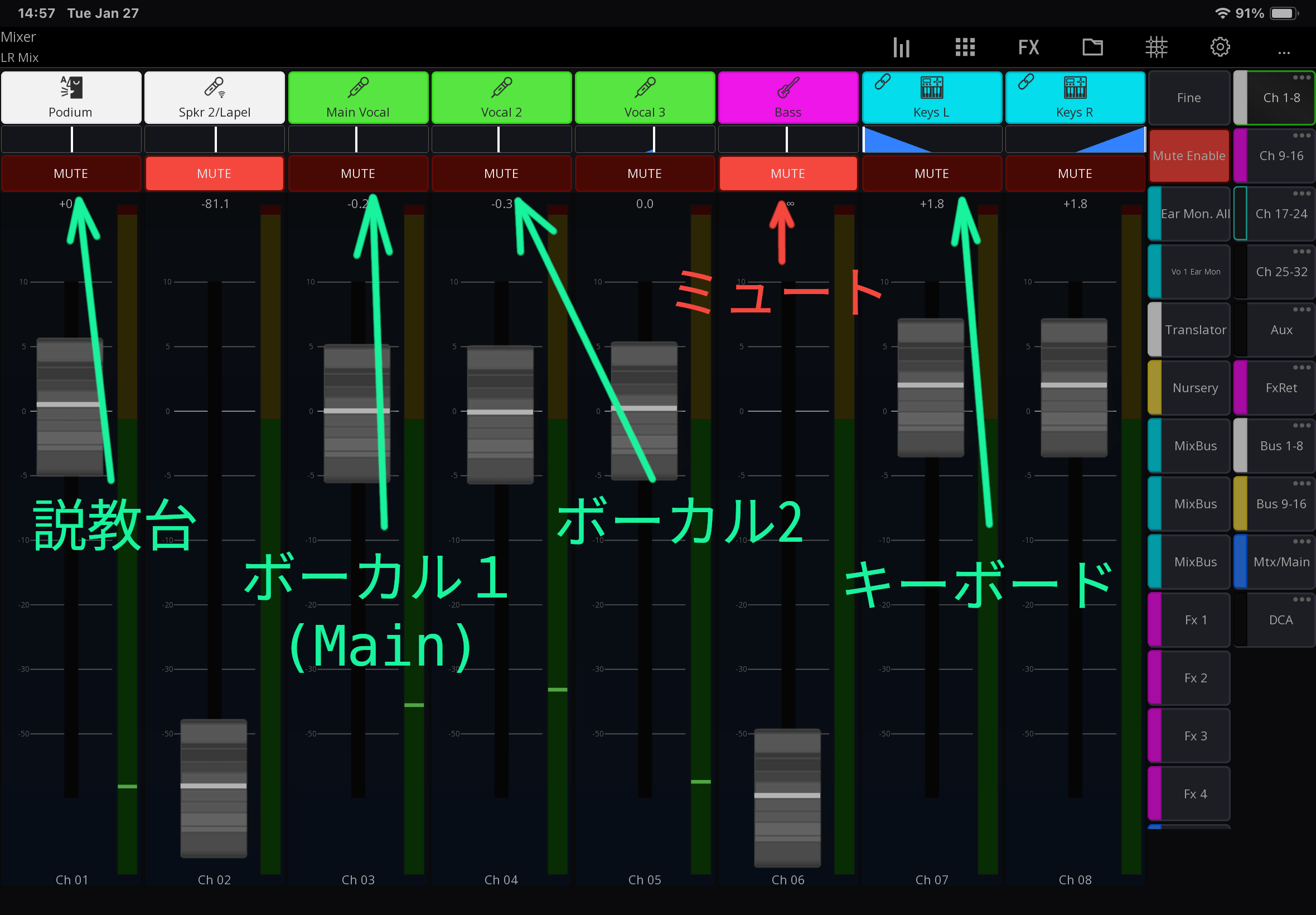
Unmute what you need (Podium mic, Vocal mics, Keys, etc)
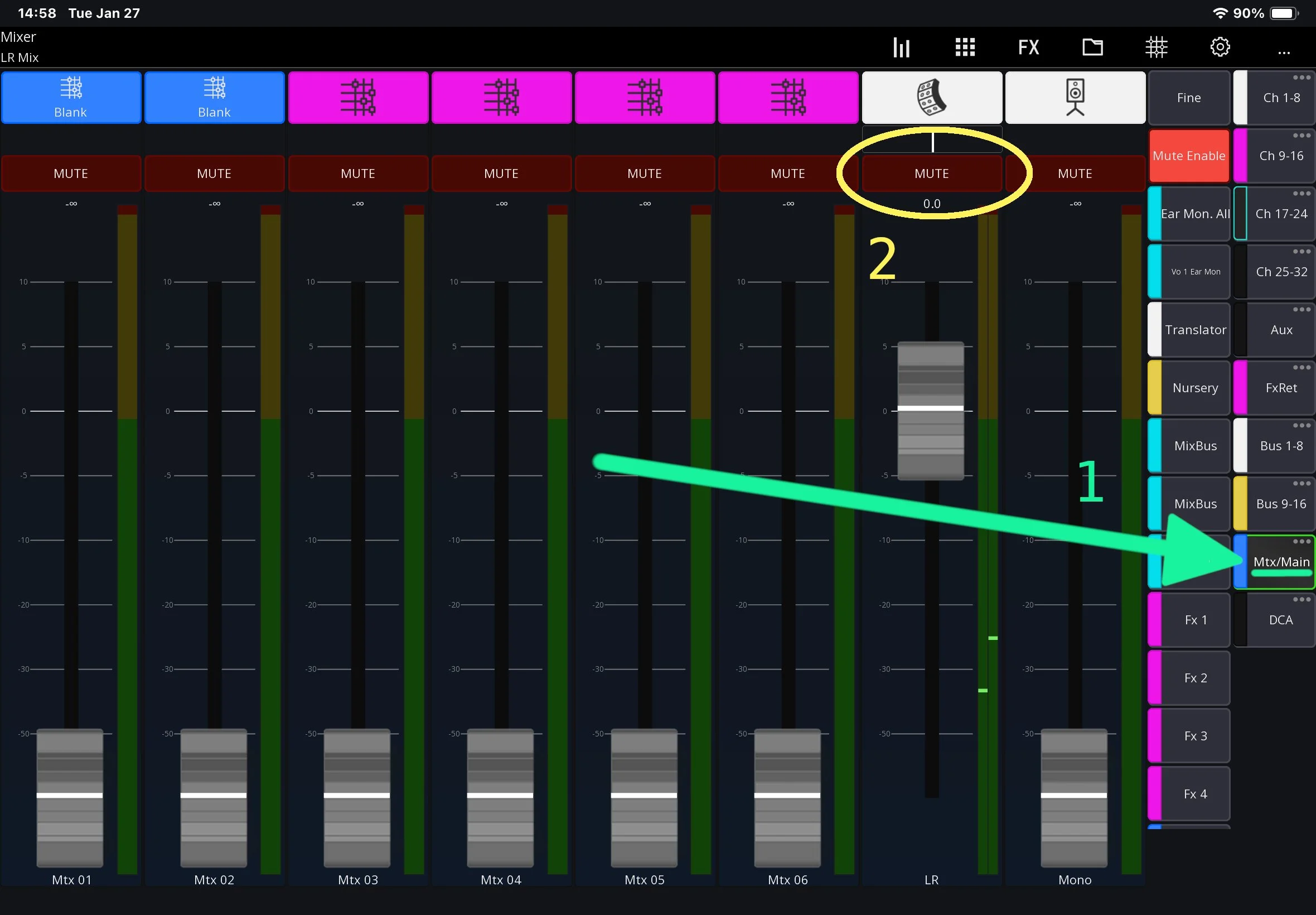
If still no sound, check the main channel (Under Mtx/MAIN) isn’t muted
問題:ミキサーとスピーカーの電源を入れたのに、マイクや楽器から音が出ない。
次を試してください(下の写真も参照):
iPad を持ってくる。
Mixing Stationというアプリが開く。開いていなければ、ホーム画面から起動する。
再接続と同期が終わるまで待つ。もしどうしても再接続しない場合は、iPad の Wi‑Fi を一度オフにしてからオンにする
必要なチャンネル(説教台マイク:Podium、ボーカルマイク:Vocal 1,2,3、キーボード:Keysなど)のミュート(MUTE)を解除する。
それでも音が出ない場合は、メインのチャンネル(Mtx/MAINの下にある)がミュートになっていないか確認する。